Connect your Mac.
Run the relay alongside your authenticated Claude Code. Link it to your account with a relay key.
YOUR CODE STAYS AT HOMEMADE FOR ROKID GLASSES
Your next idea doesn’t need a keyboard.
Speak a task. Follow your agent. Step away from your desk.
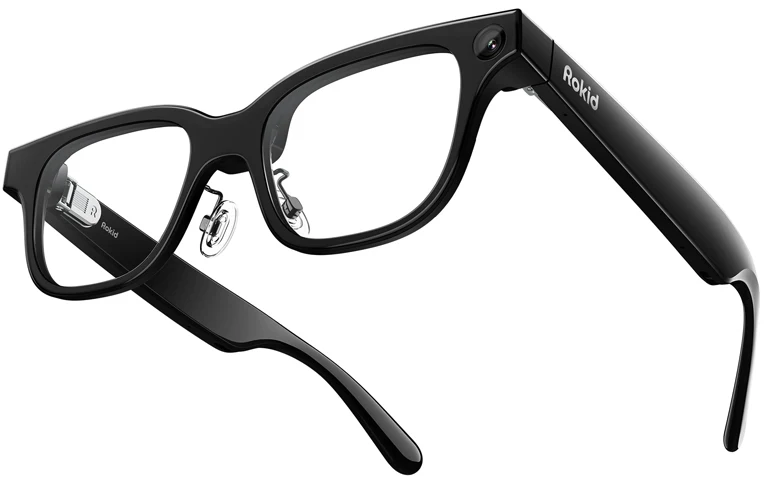
Your Rokid Glasses. Your Mac. Your Claude Code.
“Run the tests. Fix what’s broken.”
A little green text. A lot more freedom.
Built around the tools
you already know.
01 / THE EXPERIENCE
Neither should you. Keep a real coding session within reach, with your hands free and your head up.
TAKE IT FOR A SPIN
Tap the temple, say what you want to build, then confirm the transcript before it reaches Claude.
“Add a dark mode to the dashboard.”
A thought, waiting to become something.
This development recording combines camera footage and the browser-rendered HUD mirror. It is not a capture through the lenses. The recorded interface is in French; the app also supports English and Chinese.
02 / FAMILIAR TOOLS. NEW FREEDOM.
Your repositories and Claude Code setup stay on your Mac. The cloud connects your devices. Your glasses put the conversation in view.
Run the relay alongside your authenticated Claude Code. Link it to your account with a relay key.
YOUR CODE STAYS AT HOMEInstall the glasses app through Hi Rokid, configure the connection, and pair your devices in the portal.
BUILT FOR THE DISPLAY MODELDictate a task, check what was heard, and follow the response. Pick another session whenever you need it.
VOICE FIRST. YOU IN CONTROL.Your Mac must stay powered on, awake and online. Your glasses need an internet connection, such as a phone hotspot.
Setup guide03 / WHEN WORDS AREN’T ENOUGH
Some ideas are easier to show. Open the phone companion to add an image or paste text into the very same session you’re following on your glasses.
Meet your everyday setup Rokid Claude
weekend-project ↗
I’ll use this as a reference for the dashboard layout.
04 / MADE FOR YOUR ROKID
Purpose-built for one setup, so you know exactly what you’re getting into.
See the glasses at RokidWith display · YodaOS-Sprite / Android 12 base
macOS, Node.js 20+, authenticated Claude Code, and the local relay with Whisper.
Developer mode and initial setup are required. Installation goes through the Hi Rokid app.
Your Mac stays awake and online. Your glasses connect over Wi-Fi or a phone hotspot.
Other glasses and Rokid models — including Max, Air and the display-free Style — are not currently supported by this project.
Rokid Claude is an independent, voice-first companion that lets you control Claude Code from Rokid Glasses. Speak a task, confirm the transcript and follow your agent’s progress in the display. Claude Code runs on your own Mac, in your own repositories.
No. This project has been developed for Rokid Glasses with the built-in display, running YodaOS-Sprite on an Android 12 base. Compatibility with Rokid Max, Air, Style or other brands has not been established.
Yes. Your Mac must remain powered on, awake and connected to the internet, with the relay and Claude Code available. Google Cloud brokers the connection; it does not run your coding agent or replace your Mac.
Send coding instructions, list and resume sessions, switch projects and check usage. You can review the transcribed sentence before sending it and use the temple touchpad for menus and confirmations. The interface supports English, French and Chinese.
Your repository and Claude credentials remain on your Mac; the broker does not host a copy of your repository. Session traffic travels through the cloud broker and is not end-to-end encrypted. Claude Code sends relevant context to its model provider according to your Claude configuration. This is not an offline or zero-access service.
Hi Rokid is used to install the glasses app. The optional Rokid Claude phone companion runs in your browser and can be added to your home screen. It lets you attach images and pasted text to the same session as your glasses. It is not a separate native iPhone app.
No. You need your own compatible Rokid Glasses, Mac and authenticated Claude Code access. Hardware and Claude usage are separate. This is an early-access project; commercial plans and pricing will be announced separately. No paid subscription is started by this page.
No. Rokid Claude is an independent project by Codecrush, built on the open-source Rokid_Claude project by williamlzz. It is not affiliated with or endorsed by Rokid or Anthropic. Their names identify the hardware and software it works with.
EARLY ACCESS · ROKID GLASSES
The next thing you build could start with a conversation.
Set up your glasses Bring your Rokid Glasses, your Mac and your Claude Code access.